Instructor Power Zone Cues
In a Power Zone ride, instructors typically cue:
-
Target zone (e.g., “Zone 3 for 4 minutes”)
-
Builds / pushes (e.g., “start low Zone 3, build to mid/high Zone 3”)
-
Recoveries (often Zone 1–2)
-
Occasional spin-ups or technique focus (cadence drills), sometimes still anchored to an easier zone target
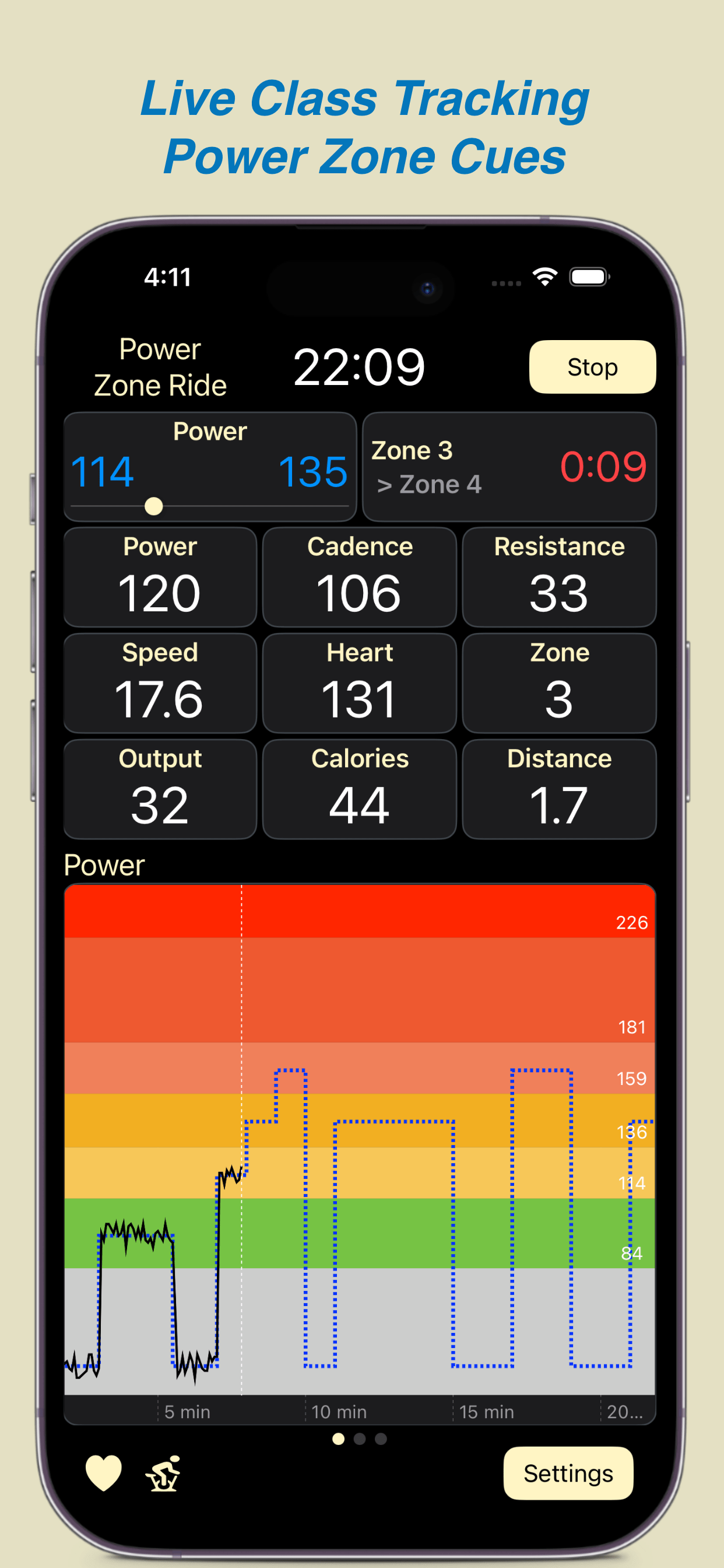
mPaceline supports instructor Power Zone cues in several helpful ways during live rides. You’ll always see the current target zone you’re being coached to ride in, along with how much time remains in that zone. Depending on the view you choose while riding, mPaceline can also show a list of upcoming zone cues and their expected durations, so you know what’s coming before it happens.
mPaceline Pulse goes a step further by displaying the entire class structure as a Power Zone graph. This shows all coached zones and their time segments for the full ride. As the class progresses, your actual output is overlaid on top of the planned structure, allowing you to see—at a glance—how closely you’re tracking the instructor’s cues throughout the workout.